


Overview
Course Description
Presenting ideas through realistic models is important in today’s design, architecture, and engineering industries. The SketchUp training course is well-structured to introduce the modern tools and techniques essential for creating detailed designs.
What will you learn?
- Acquire skills to create 3D models, apply materials, and design architectural elements.
- Gain expertise in transforming the models into realistic scenes using lighting, animations, landscape, etc.
- Become confident in creating quality designs and presentations with hands-on training provided by experts.
- Master industry-relevant software tools, techniques, and workflows to create 2D drawings, 360° panoramic views, and 3D tours.
10 + Years of Training Excellence
4.4 ★

4.5 ★

4.5 ★

SketchUp & Lumion Course Syllabus
The Lumion Course includes the following topics:
Introduction
 Have an overview of the SketchUp & Lumion software and its applications in various fields such as interior design, construction, and architecture.
- Learn about the system requirements and the installation. Learn about SketchUp’s interface and workspace. Understand Lumion’s basic navigation tools, the interface, and the controls.
- Study the basic concepts of 3D modeling, rendering, lighting, and environment settings.
- Know the basic commands such as push, pull, move, copy, rotate, and follow me.
- Find out how to import SketchUp models into Lumion and study the basic workflow.
Module 2: 2D Drawings in SketchUp
- Become familiar with basic drawing tools, including line, rectangle, circle, polygon, arc, etc.
- Study the creation and editing of 2D shapes. Find out how to use the Offset tool for creating parallel lines and shapes.
- Understand the use of the Tape Measure tool for making measurements and the use of scale, move, and rotate tools to modify the drawings.
- Learn how to create accurate layouts for floor plans, erase edges, edit lines, and draw basic architectural elements.
- Understand the preparation of 2D drawings for conversion into 3D models.
Module 3: 3D Modeling in SketchUp
- Have an overview of 3D modeling in SketchUp, the usage of the push and pull tools to create 3D forms, and the conversion of 2D drawings into 3D models.
- Find out how to create walls, floors, roofs, doors, windows, and other details.
- Learn how to use the Follow Me tool for the creation of complex shapes and the Offset Tool for wall thickness and design elements.
- Become familiar with working with groups and components, importing 3D objects, and creating scenes for different views.
- Practical training in 3D modeling in SketchUp
Module 4: Materials and Textures in SketchUp
- Have an overview of the Materials Panel and Library, and how to apply default materials to 3D models.
- Find out how to edit material properties such as color, texture, size, etc. Learn about the importing of custom textures and images.
- Study the positioning and adjusting of textures and the usage of the Paint Bucket tool for material application.
- Know the organization and management of materials and the application of realistic materials for walls and floors.
- Learn about the fixation of texture alignment and the preparation of materials for Export to Lumion.
Module 5: Lumion Rendering
- Learn about Lumion Rendering Workflow and find out how to apply materials and adjust surface properties.
- Find out how to add lighting for realistic effects, create natural environments, and add objects such as trees, plants, and furniture.
- Understand the creation of high-quality photo renders, render interior and exterior scenes, and adjust reflection and shadows.
- Study the export of high-resolution images and presentations, camera settings, and scene composition.
- Practical training in Lumion rendering.
Module 6: Presentation in SketchUp & Lumion
- Have an overview of the presentation techniques, the setting of camera views, and perspectives in SketchUp.
- Find out how to export SketchUp models for visualization and how to import them into Lumion.
- Learn about setting up the presentation scenes in Lumion, adjusting the lighting, environment, and camera angles.
- Understand the addition of landscape, people, and objects, and the creation of photo renders for client presentations.
- Study the creation of walkthrough and flythrough animations and videos for the project presentation.
Module 7: Post Processing
- Learn about the preparation of models for rendering, exporting models, and exporting rendered images
- Understand the basic image enhancement techniques, including brightness and contrast. Know the enhancement of lighting, shadows, and reflection
- Find out how to make it more realistic with additional elements like objects by adding backgrounds and providing environmental effects.
- Study the final composition and presentation techniques
- Practical training in preparing the final output
The Importance of SketchUp and Lumion Course Certification In Saudi Arabia’s Growing Infrastructure
Saudi Arabia is focusing on mega-development projects, the modernization of cities, and the expansion of transportation networks. The government is interested in boosting the growth of the construction sector. The SketchUp and Lumion software play a key role in the creation of 3D models and realistic visualizations. So, the SketchUp course is important in the country’s growing infrastructure.
Industry Demand For Skilled SketchUp and Lumion Software Course
Today, the construction, engineering, and architecture industries rely heavily on advanced software tools for 3D modeling and visualization. SketchUp & Lumion software are among the most sought-after tools. It helps the designers to create precise and detailed models. So, the demand for professionals who have completed the SketchUp certification course is high.
SketchUp and Lumion Certification Training Outcome
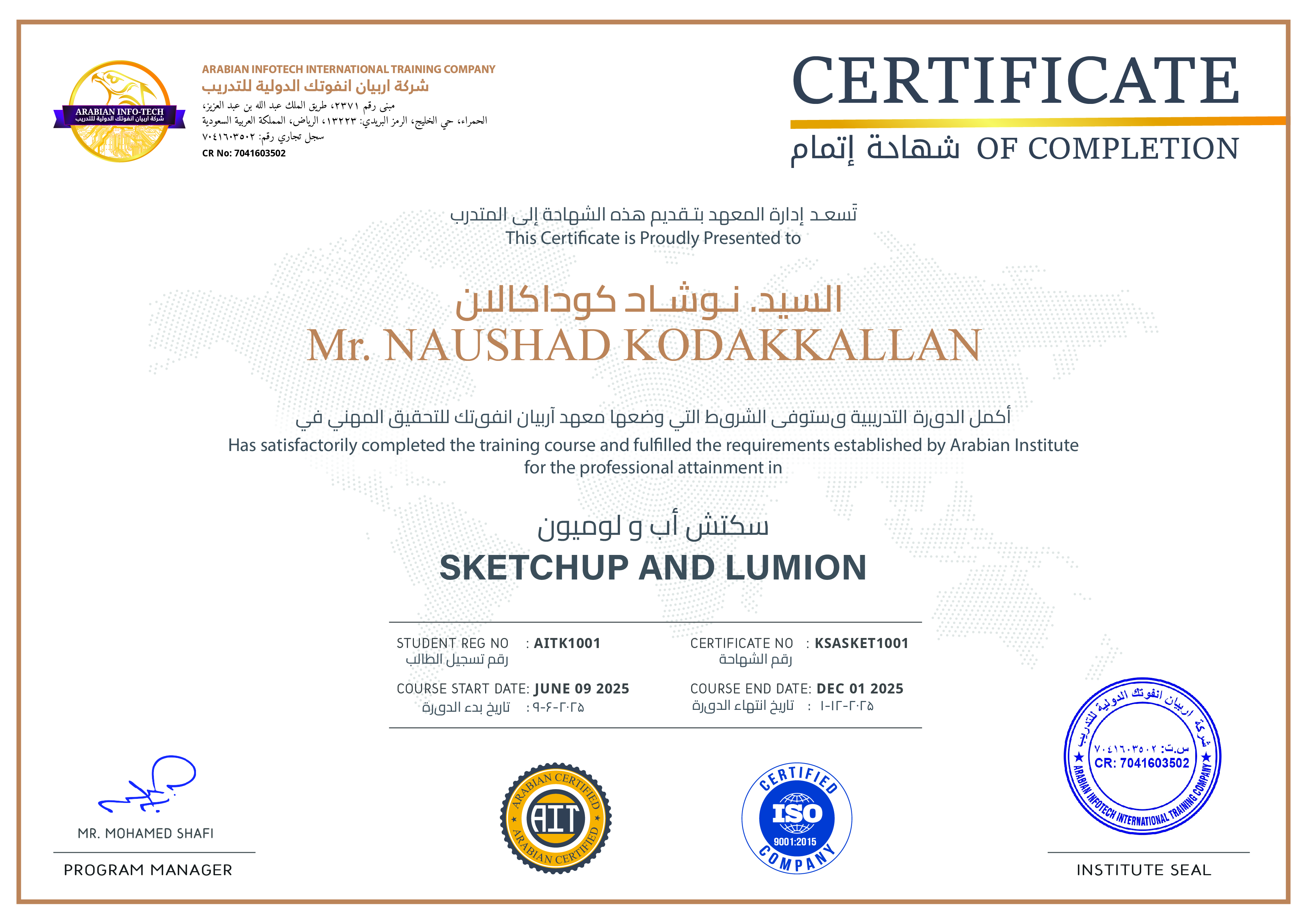
After completing the SketchUp & Lumion training, learners will gain theoretical knowledge and practical skills in 3D modeling, 2D drawings, and rendering with the software. The SketchUp classes will help you to master the following skills:
- Creating professional designs and realistic renders for architectural projects
- Developing precise 3D models with all details
- Creating accurate floor plans and 2D drawings in SketchUp
- Making models more realistic with background and relevant additions
- Creating animations and enhancing visuals
- Applying materials and editing material properties
- Final presentation of the project
Career Benefits After Completing SketchUp & Lumion Training Course
After completing SketchUp Pro training, you will be able to pursue good roles in the design, architecture, construction, infrastructure, and real estate industries, not only in Saudi Arabia but also abroad. The SketchUp certification helps architects, designers, and civil engineers to improve their careers. You can become a 3D modeler, an interior designer, or an architectural designer
Why Choose Arabian Infotech for SketchUp and Lumion Course?
Arabian Infotech is a trustworthy name in providing short-term technical courses to professionals to update their skills. You should choose it for Lumion certification because of its
- A comprehensive syllabus that includes all aspects from basic to advanced
- Experienced trainers who provide theoretical and hands-on training
- Flexible class schedules to suit working professionals
- Placement support and career guidance
- Affordable fee structure
FAQs
Who is this course for?
This course is for professional architects, fresh architecture graduates, and architecture students who want to improve their modeling and visualization skills. It is also suitable for civil engineers, interior designers, construction professionals, landscape designers, and design enthusiasts.
Do I need any prerequisites?
No, you don’t need any prior experience. It is suitable both for beginners and professionals. All you need is basic computer skills and an interest in design and architecture.
What will I learn in this course?
You will learn how to create detailed 3D models, export them into Lumion, and create a realistic visualization.
Do I get practical projects?
Yes, you will get practical training with real-world examples in creating 3D models, 2D plans and drawings, applying materials, creating lighting effects, and producing animations and images.
Can I use the course for professional work?
Yes, the practical training provided by expert trainers will help you in your professional work.
Related Courses

Learn how to design and manage construction projects efficiently and precisely.

Are you tired of making corrections and reworking your designs?

The BIM Program from Arabian Infotech is designed to take your career to the next level.
Student Reviews

Fatima
Professional Course
“After completing my architecture course, I joined the SketchUp & Lumion Course from Infotech Saudi. It gave me confidence to create architectural visualizations and realistic renders, and helped me gain a job as an architectural visualizer. “

kasid
Professional Course
“I loved the practical training with real-world examples. Now I have a clear idea of how to create renders and presentations. It is a highly-recommended course.“

Rasid
Professional Course
“The trainer was very knowledgeable. He explained complex topics in an easy-to-understand way “
Courses parameters
 Instrutor: ArabianInfo Tech
 Duration: 8 weeks
 Frequency: Monthly
 Days: Weekend & Weekdays
 Language: English
 Certificate: Yes
Share On :
Ready to Become a
Certified MEP Engineer?
Don't miss out on this opportunity
for 100% practical training.
 Download Brochure
_
Post A comment